
Accessing the order page
There are three ways to access your order: From the confirmation page: After payment completes, you see the confirmation page. Click the “Track Order” button to go to the order details page.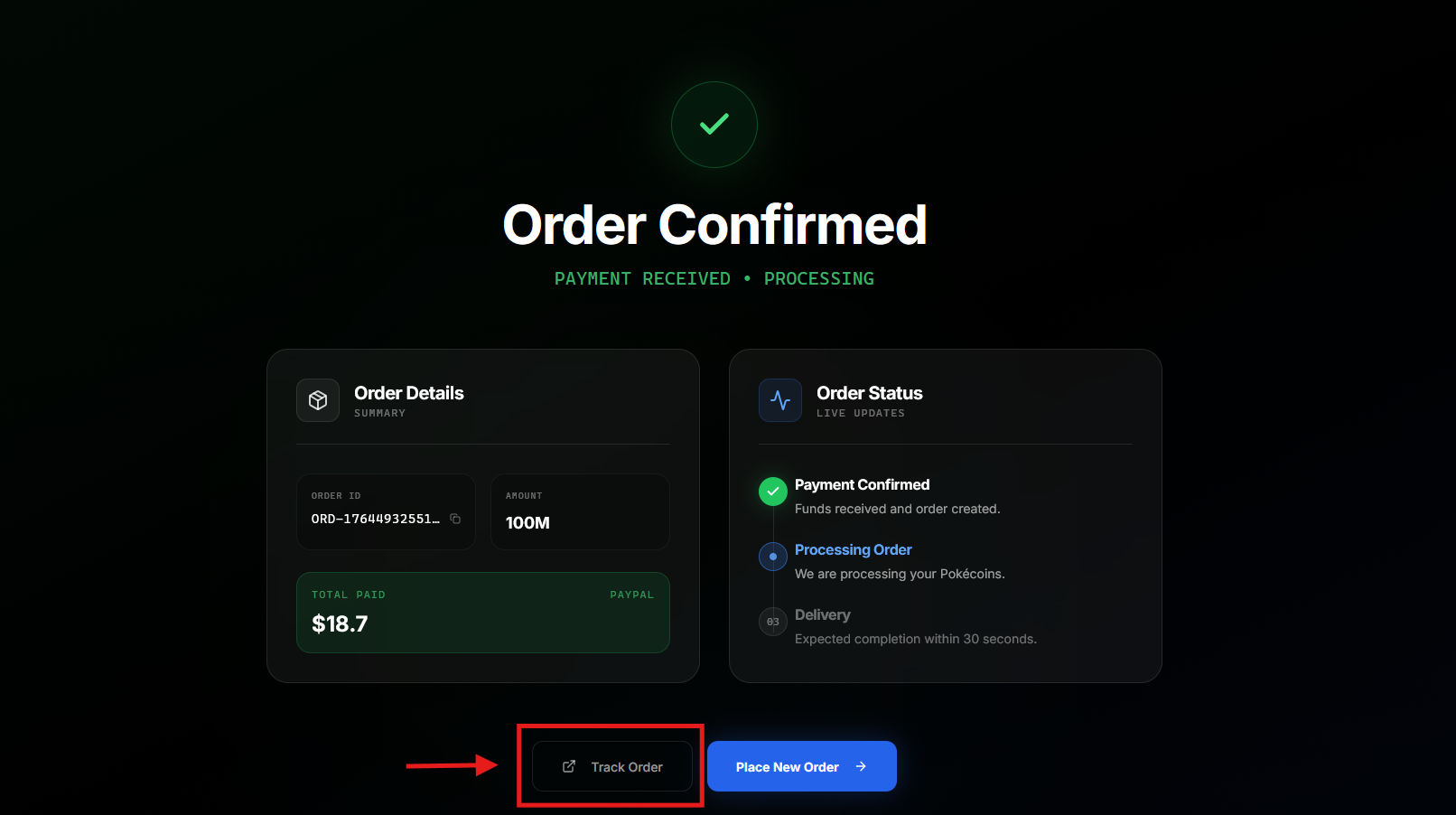 From email: The payment confirmation email includes a “Track Order” button that takes you to your dashboard where you can view your orders.
From dashboard: Go to Orders in the sidebar, click any order to view its details.
You must be logged in to view your orders.
From email: The payment confirmation email includes a “Track Order” button that takes you to your dashboard where you can view your orders.
From dashboard: Go to Orders in the sidebar, click any order to view its details.
You must be logged in to view your orders.
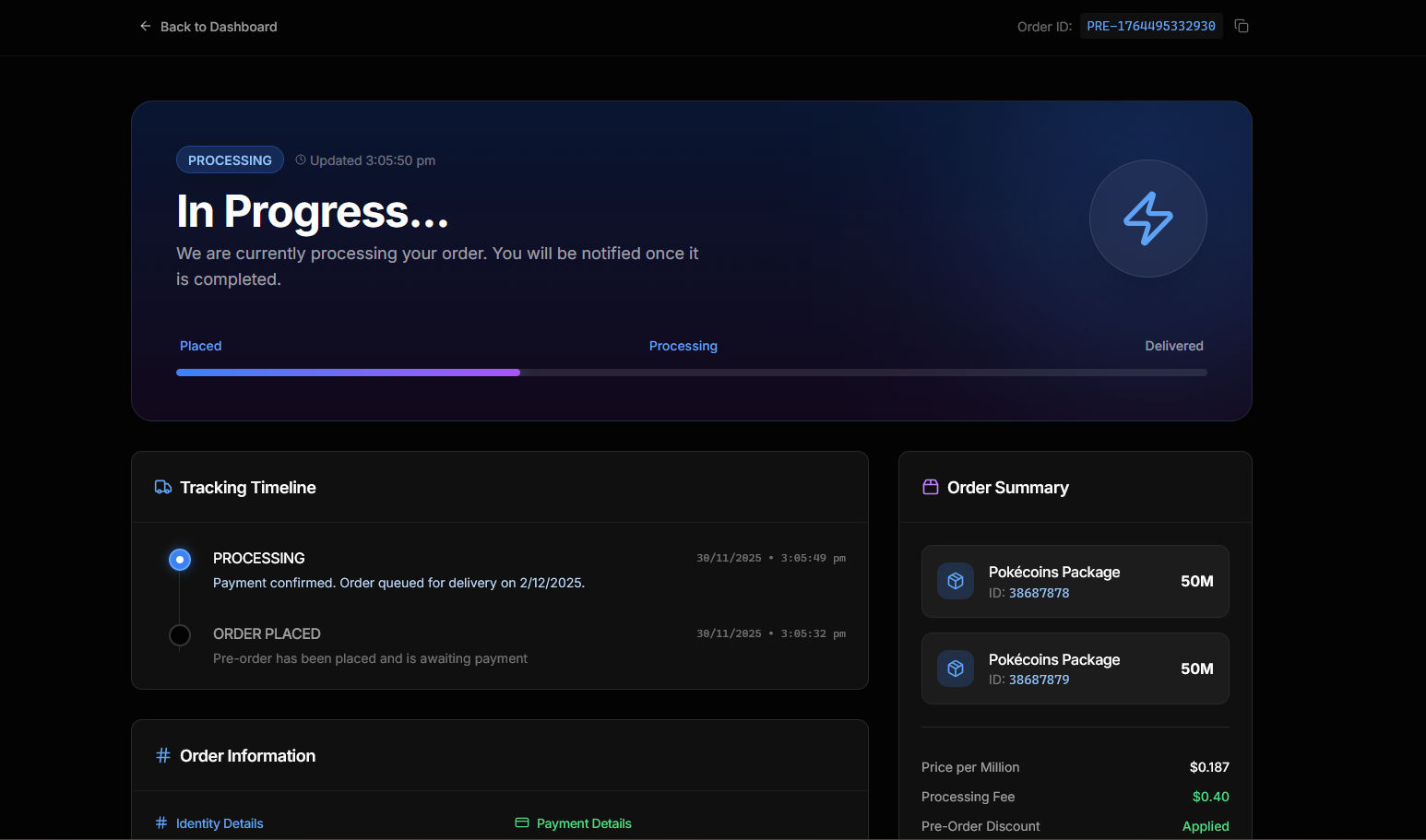
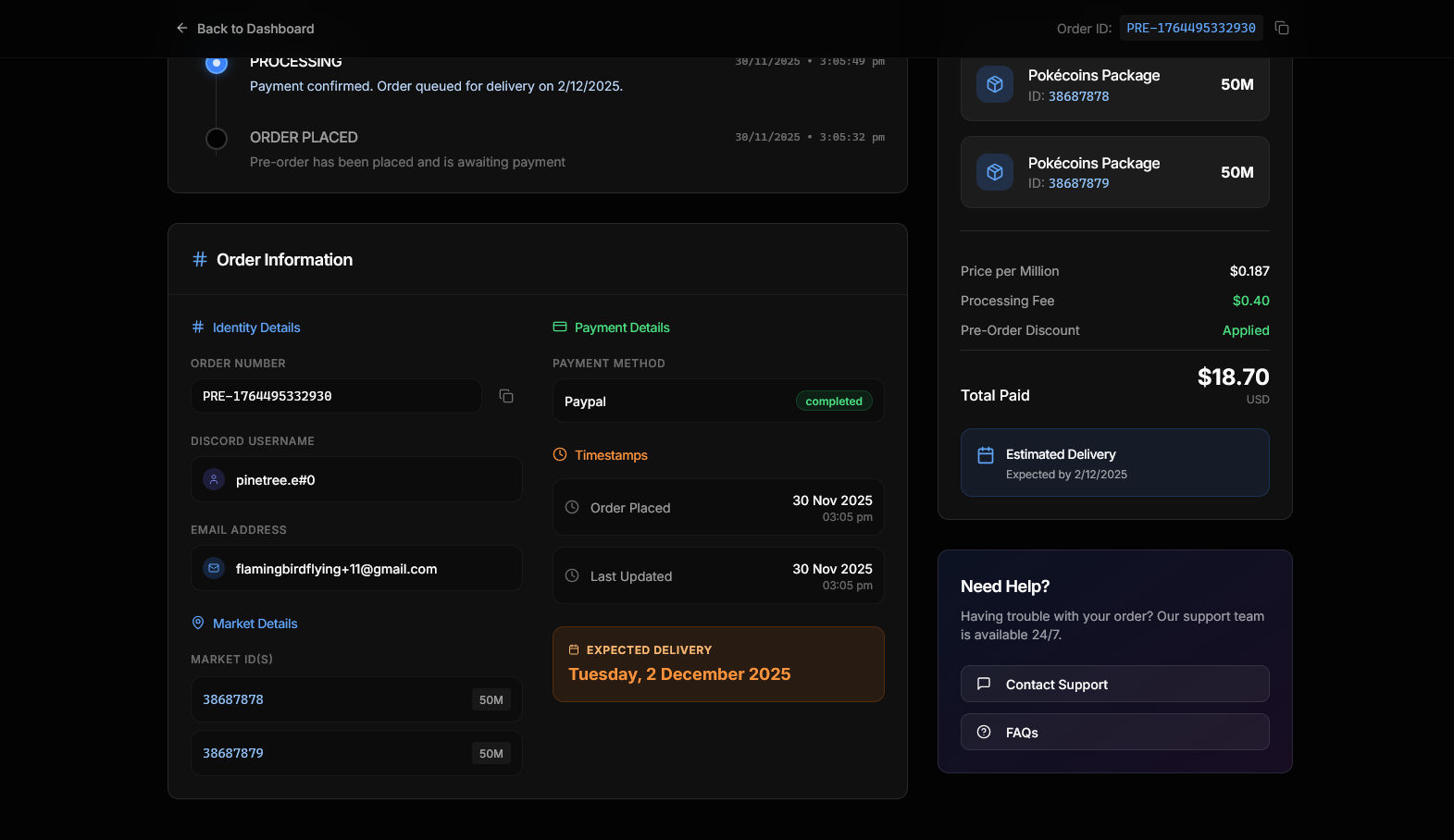
Page layout
Status header
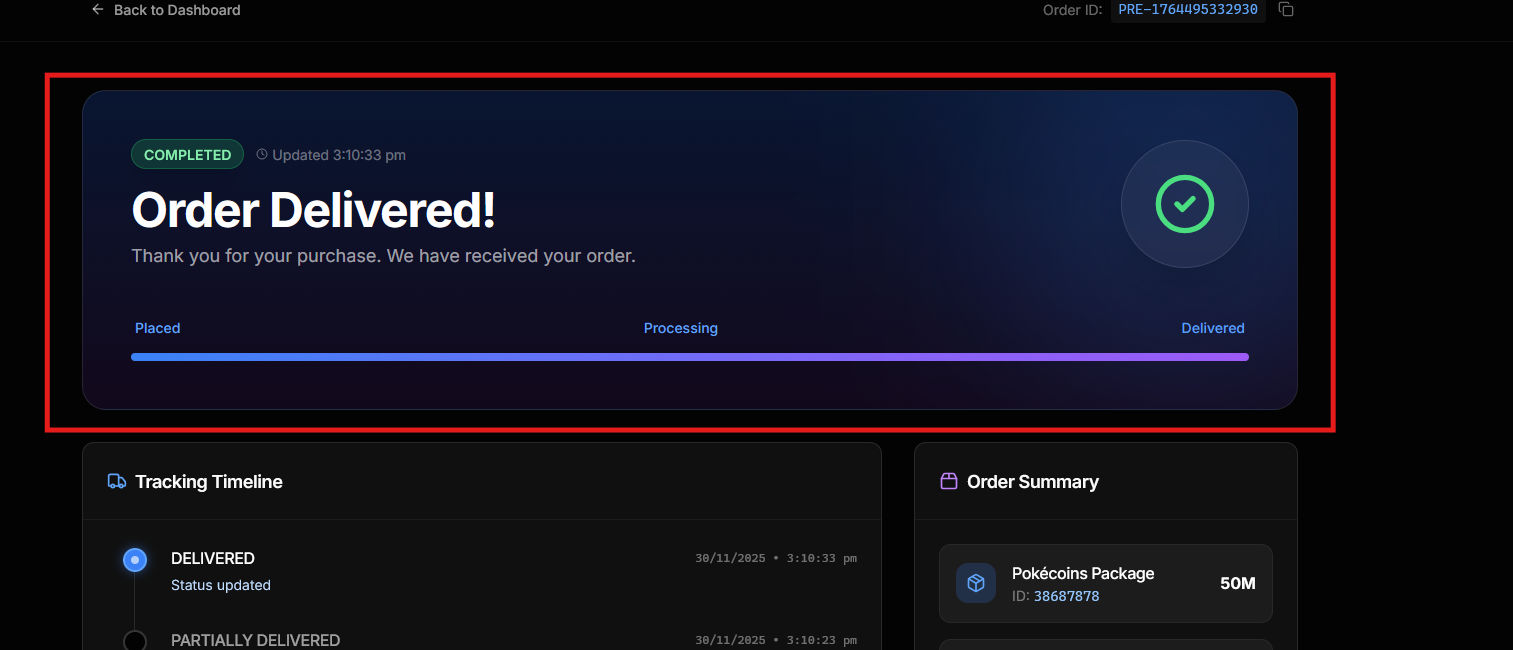
The top section shows:- Status badge: Current order state (PROCESSING, DELIVERED, DELAYED, etc.)
- Last updated: When the status was last changed
- Progress bar: Visual progress through Placed → Processing → Delivered
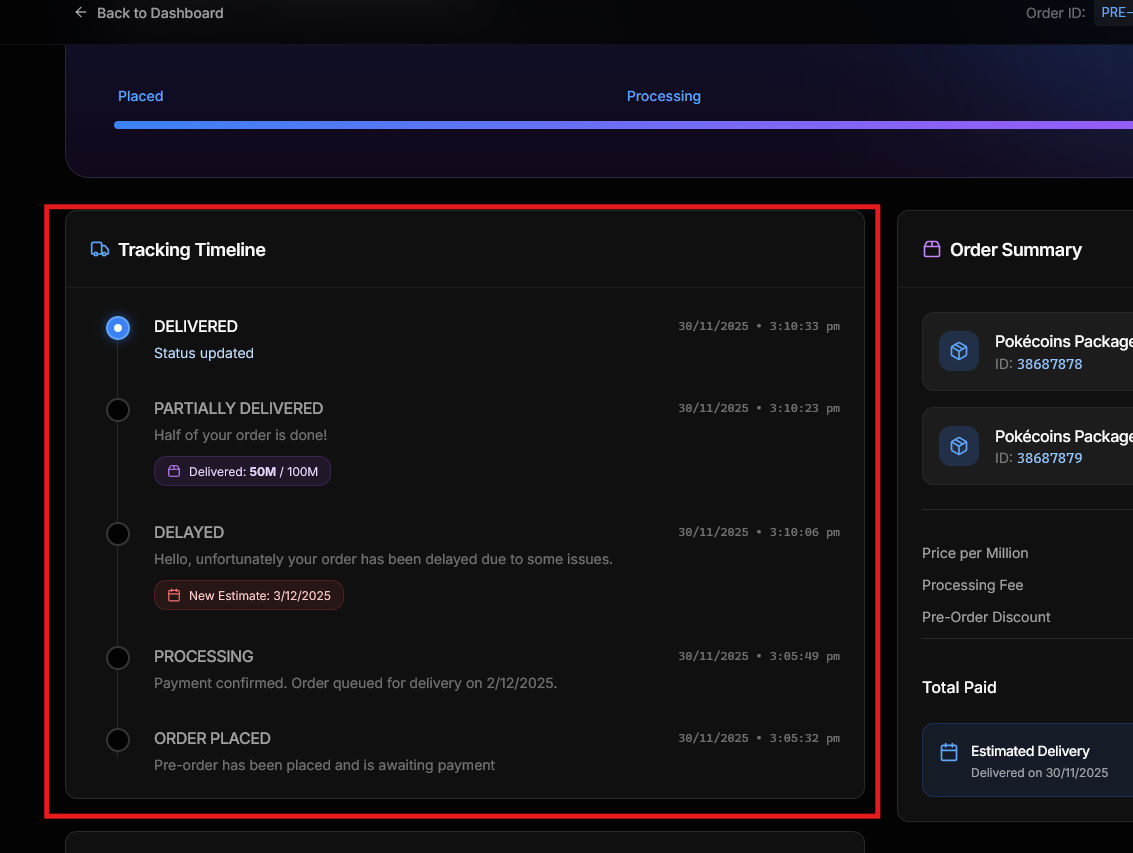
Tracking timeline
Shows all status updates in chronological order. Each entry includes:- Status name
- Timestamp (date and time)
- Message describing the update
Order information
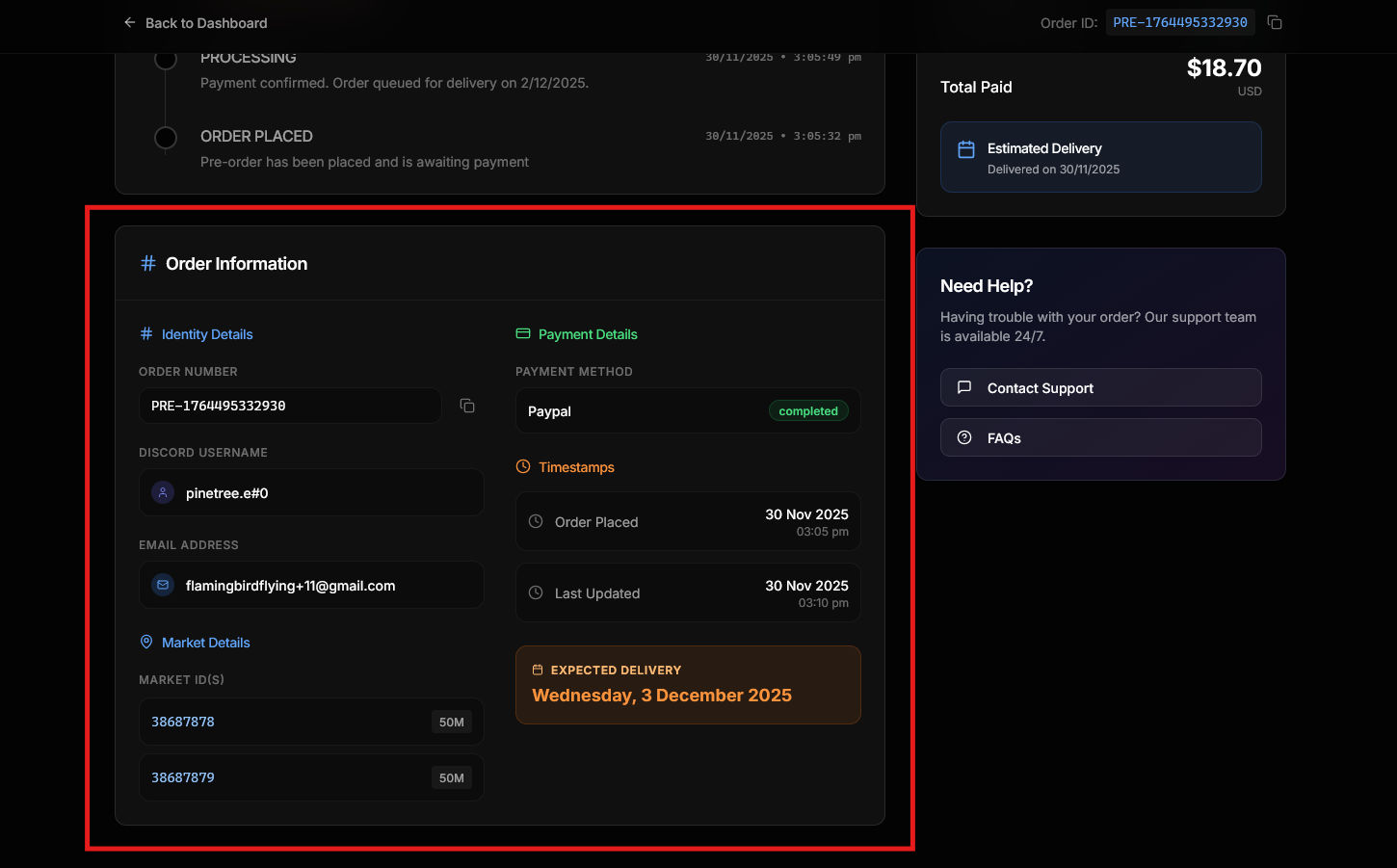
Two-column layout with: Identity Details- Order number (with copy button)
- Discord username
- Email address
- Market ID(s) where coins are delivered
- Amount per market ID
- Payment method
- Payment status
- Payment ID (with copy button)
- Order placed date/time
- Last updated date/time
- Expected delivery (for pre-orders)
Order summary
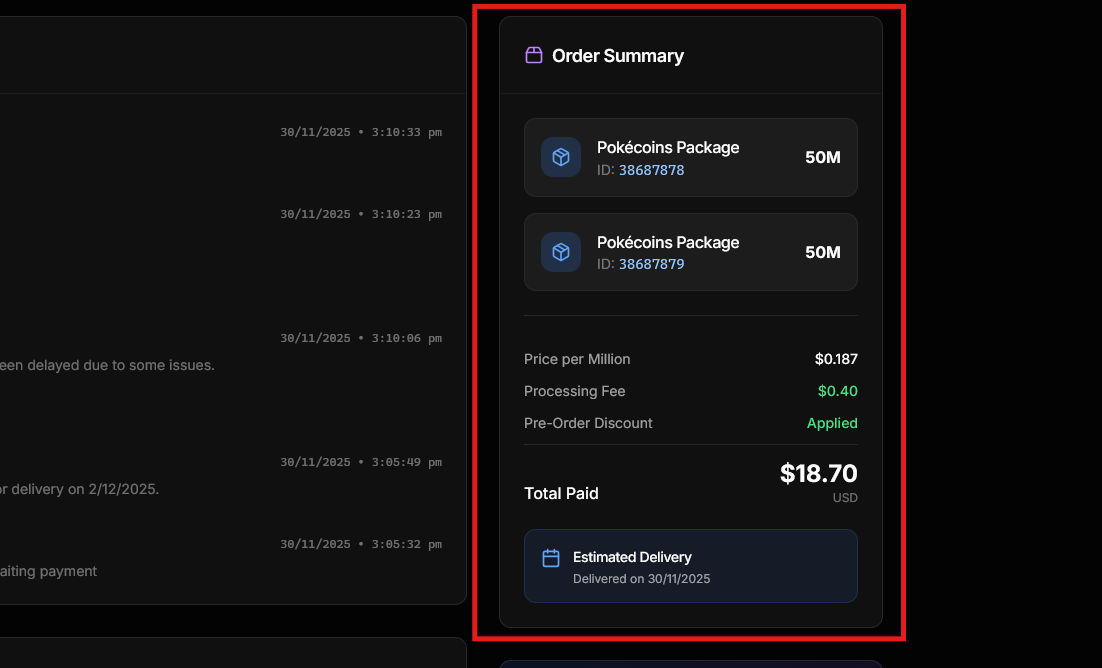
Receipt-style breakdown:- Pokecoin amount and type (Instant or Pre-Order)
- Price per million
- Processing fee
- Total paid
- Estimated delivery info
Support section
Quick links to:- Contact Support
- FAQs
Real-time updates
The page polls for updates every 5 seconds. Status changes appear automatically without refreshing.Learn about the different statuses in Tracking statuses.