
Requirements
To pay with PayPal, you need:- A PayPal account (free to create)
- Sufficient balance or a linked payment method in PayPal
How to pay with PayPal
1
Select PayPal at checkout
When you reach the payment method selection step, choose PayPal from the available options.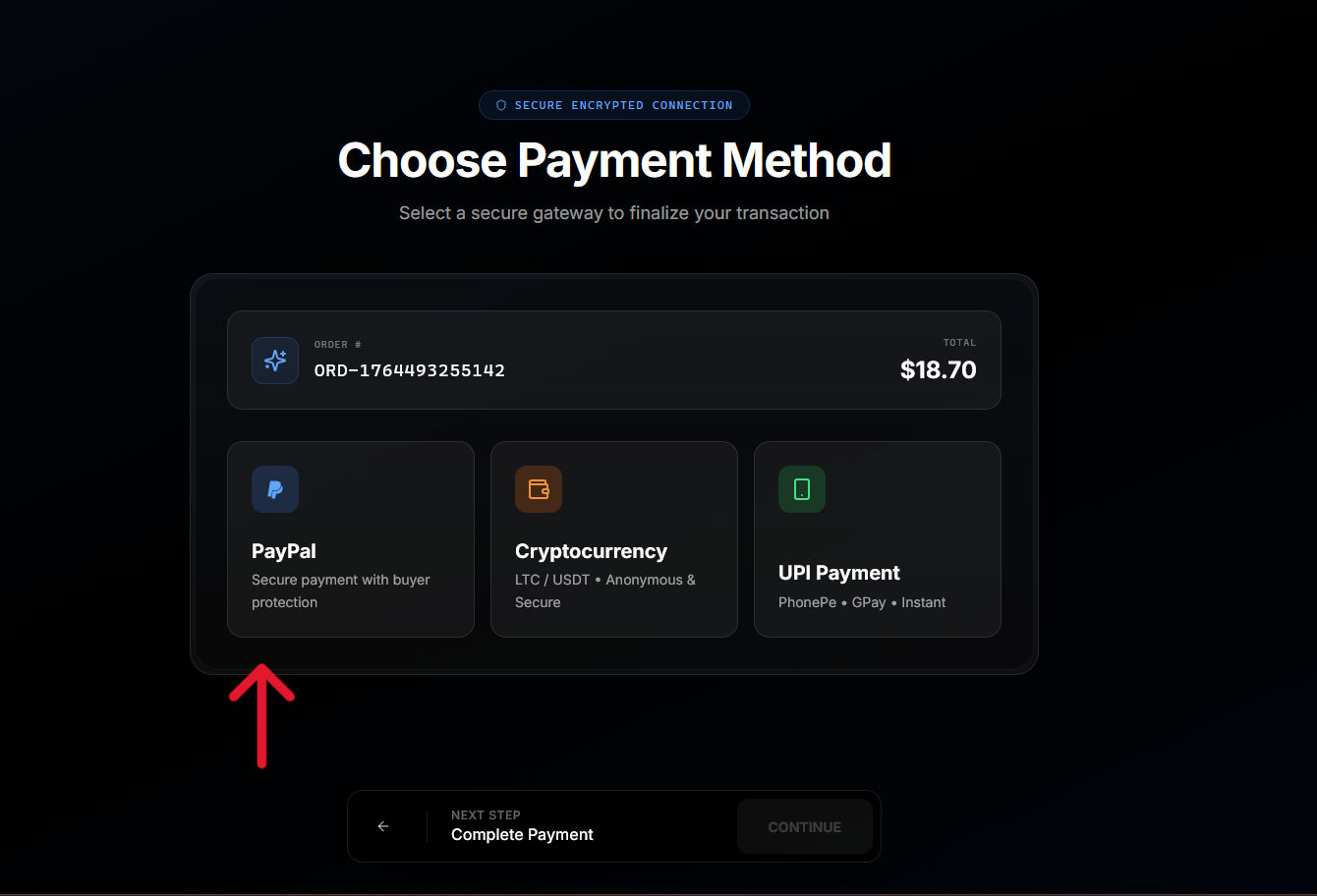
2
Redirect to PayPal
Click Continue to be redirected to the PayPal website. You will see the Right Spot order details and payment amount.
3
Log in to PayPal
Enter your PayPal credentials to access your account. If you are already logged into PayPal in your browser, this step may be skipped. If you do not have a PayPal account and want to pay with card, refer to the cards section.
4
Review and confirm
PayPal displays the payment details. Review the amount and select your funding source (PayPal balance, linked card, or bank account).Click Pay Now to confirm the transaction.
5
Return to Right Spot
After confirming payment, you are automatically redirected back to Right Spot. Your order confirmation page displays the payment status and delivery progress.
Supported funding sources
Through PayPal, you can pay using:- PayPal balance
- Linked debit cards
- Linked credit cards
- Linked bank accounts
Processing time
PayPal payments typically process instantly. Once you confirm payment in PayPal and return to Right Spot, your order immediately moves to processing and delivery.Currency handling
PayPal handles currency conversion if your PayPal account currency differs from the order currency. Conversion rates are determined by PayPal and displayed before you confirm payment.PayPal fees
PayPal may charge fees depending on your funding source and location. Any fees charged by PayPal are displayed in the PayPal interface before you confirm payment. Right Spot adds a $0.40 additional fees for PayPal transactions to prevent spam or abuse.Troubleshooting
Not redirected back to Right Spot
Not redirected back to Right Spot
If you completed payment but were not redirected, return to Right Spot manually and check your dashboard. The payment should appear within a few minutes. If it does not, contact support with your PayPal transaction ID.
PayPal shows payment complete but order is pending
PayPal shows payment complete but order is pending
There may be a brief delay in payment notification. Wait 5-10 minutes and refresh your dashboard. If the order remains pending, contact support with your PayPal receipt.
Payment declined by PayPal
Payment declined by PayPal
PayPal may decline transactions for various reasons including suspected fraud, insufficient funds, or account limitations. Review your PayPal account status or try a different payment method. This is something from your side, and you would have to contact PayPal support or your card provider to resolve.
Refunds
Refunds for PayPal payments are returned to your PayPal account. Processing time for refunds depends on PayPal but typically completes within 3-5 business days.Learn about card payments in Cards.