
Creating your account
1
Navigate to the sign-in page
Click the Buy now button in the top navigation bar, or go directly to the authentication page from the homepage. Then click on the Continue with Discord Button.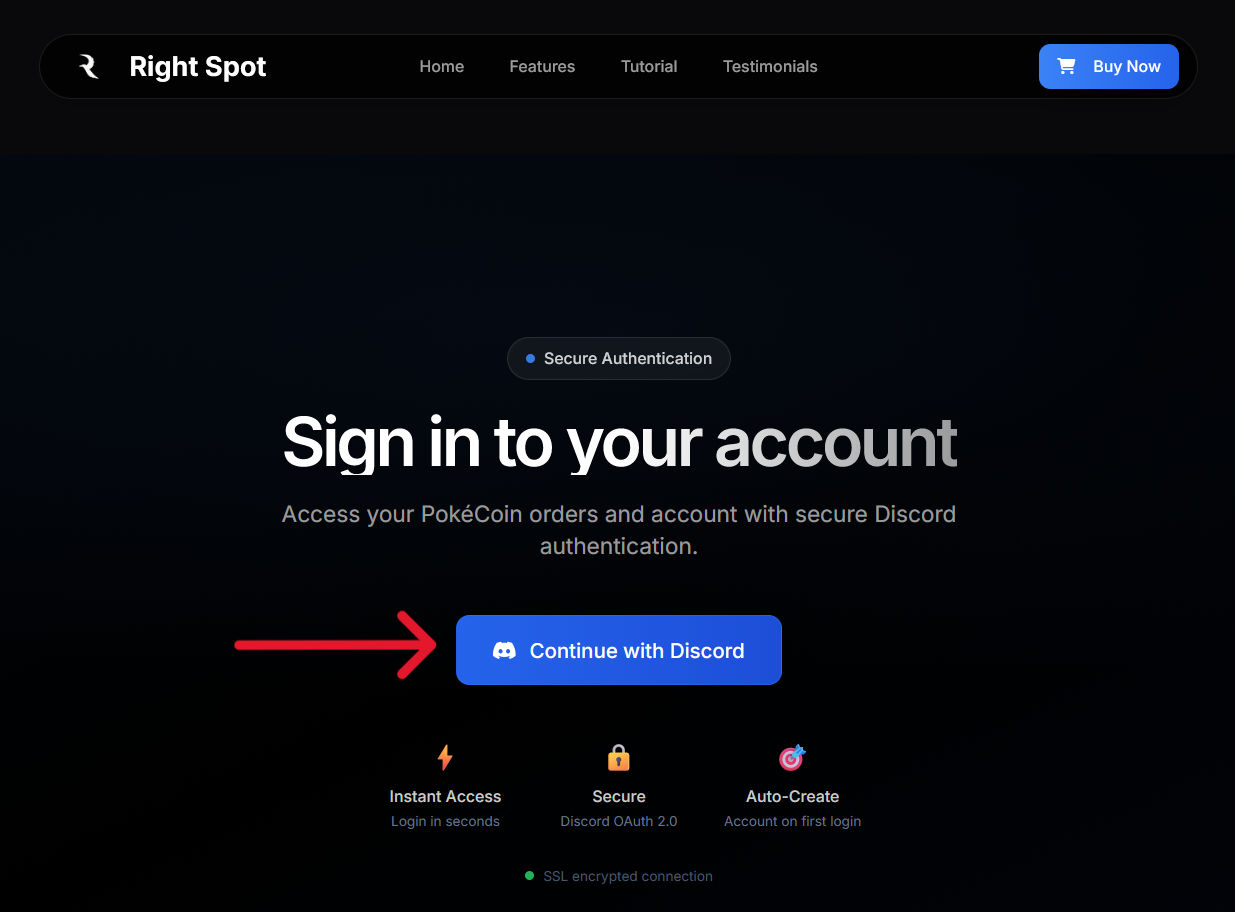
2
Authorize with Discord
You will be redirected to Discord’s official authorization page. This page shows what information Right Spot is requesting access to.Review the permissions and click Authorize to continue.
3
Complete registration
After authorization, you will be redirected back to Right Spot. Your account is now created and you can access your dashboard.
What information we receive
When you authorize Right Spot, Discord shares only basic profile information:- Your Discord username
- Your Discord user ID
- Your email address (for order confirmations)
- Your profile picture
Concerned about authorizing Discord? Read Why we require Discord for a detailed explanation of how OAuth works and why your account remains completely secure.
Logging in to an existing account
If you already have a Right Spot account, the login process is identical to signing up. Click Sign In, authorize with Discord, and you will be taken to your dashboard with access to your order history and account settings.Troubleshooting
Redirected to wrong account
Redirected to wrong account
If you have multiple Discord accounts and signed into the wrong one, log out of your current Right Spot account by clicking the logout button at the bottom left (on PC) or by clicking on the three lines and then at the bottom of the screen on the dashboard and sign in again with the correct Discord account. Please make sure that you are logged into the discord on your browser with the same account that you want to login with.
Email not receiving confirmations
Email not receiving confirmations
Ensure the email associated with your Discord account is correct and check your spam folder. You can update your Discord email in Discord’s user settings.
Once you have created your account, you can proceed to place your first order or explore your Dashboard.