
Before you begin
Make sure you have:- A Right Spot account (sign in with Discord)
- Your Poketwo market ID ready
- A valid payment method
Order process overview
The ordering process consists of six steps:- Select quantity
- Enter market ID
- Review order summary
- Choose payment method
- Complete payment
- Receive confirmation
Step 1: Select quantity
Navigate to the purchase page by clicking Buy Pokecoins in the navigation bar or from your dashboard.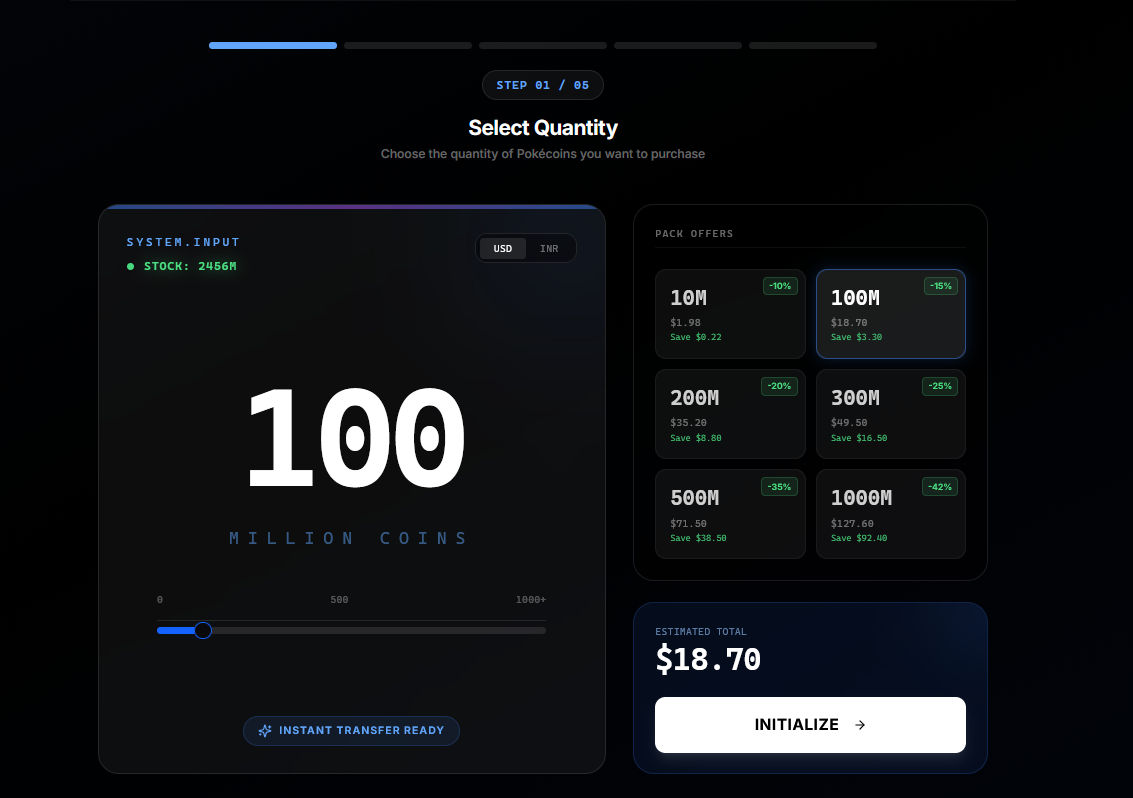
Using the quantity selector
The quantity selector allows you to specify how many Pokecoins you want to purchase. You can adjust the amount using the slider, or enter a specific number directly in the input field. Preset amounts are also available for quick selection.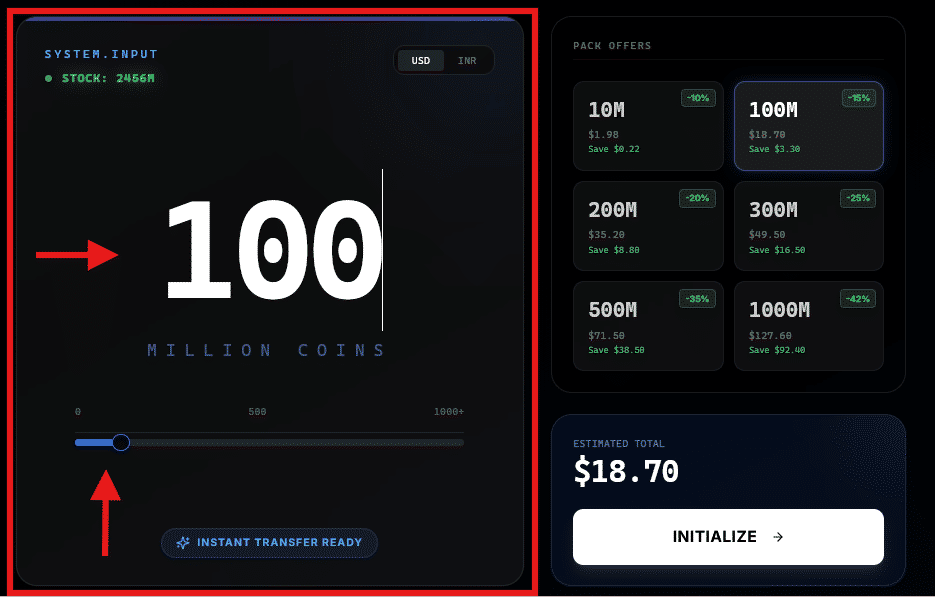
Understanding the pricing display
As you adjust the quantity, the price updates in real-time. The display shows:- Price per million Pokecoins at your selected quantity
- Total cost for your order
- Any bulk discounts that have been applied
Bulk discounts are applied automatically as you increase the quantity. The discount percentage is displayed so you can see exactly how much you are saving.
Stock availability
The page displays current stock availability. If your requested amount exceeds available stock, the order becomes a pre-order with a different delivery timeline. Click Continue when you have selected your desired quantity.Step 2: Enter market ID
Your market ID is how Pokecoins are delivered to your Poketwo account. This step ensures the delivery goes to the correct destination.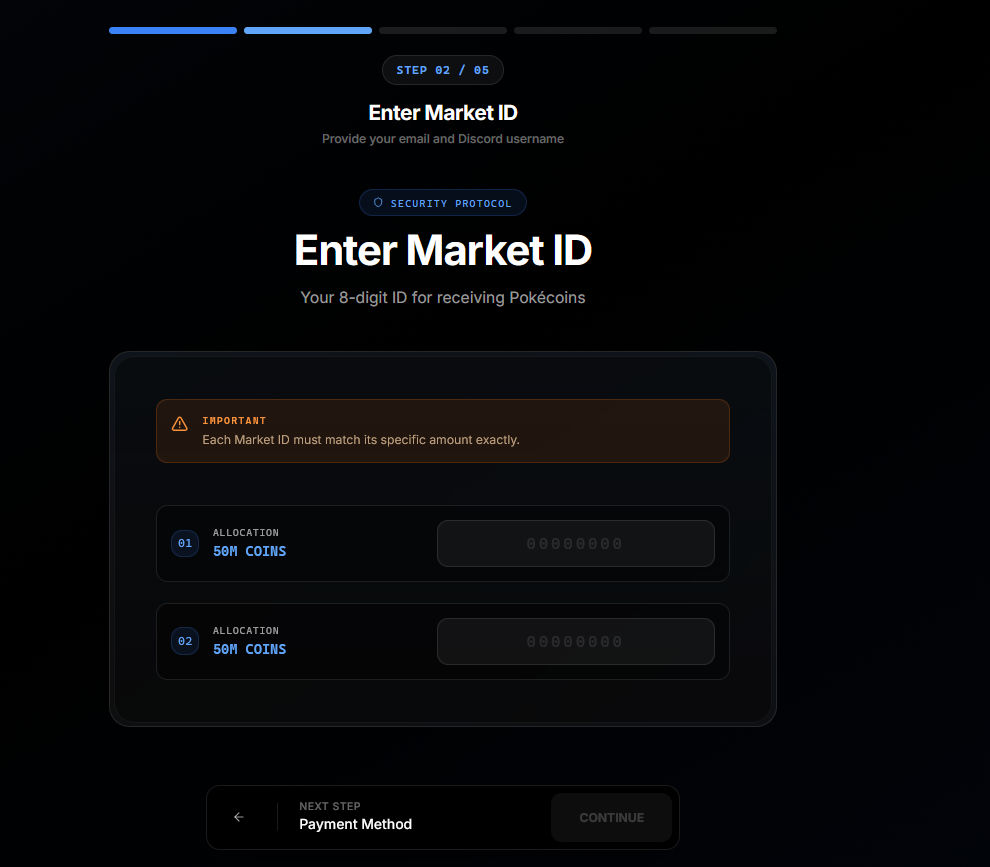
Finding your market ID
To find your market ID in Discord:- Open a server where Poketwo is active, or use its DMs.
- Type
@Poketwo m a <ID of a random pokemon in your inventory> <amount of pokecoins of a market id>. For example,@poketwo m a 4543 50000000. - Click the confirm button sent by poketwo.
- Poketwo will respond with your market listing information.
- Look for your market ID - it is an 8-character code.
- Copy the market ID

Entering your market ID
Paste or type your market ID into the input field. The system validates the format automatically and shows a green checkmark when the format is correct.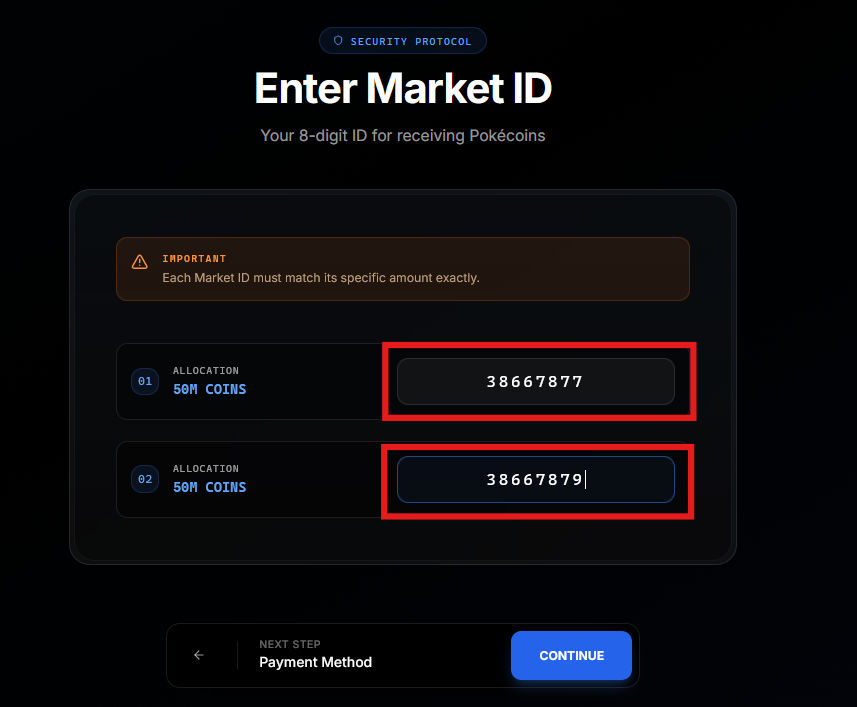 Click Continue after entering a valid market ID.
Step 3: Review order summary
The summary page displays all details of your order for final review before payment.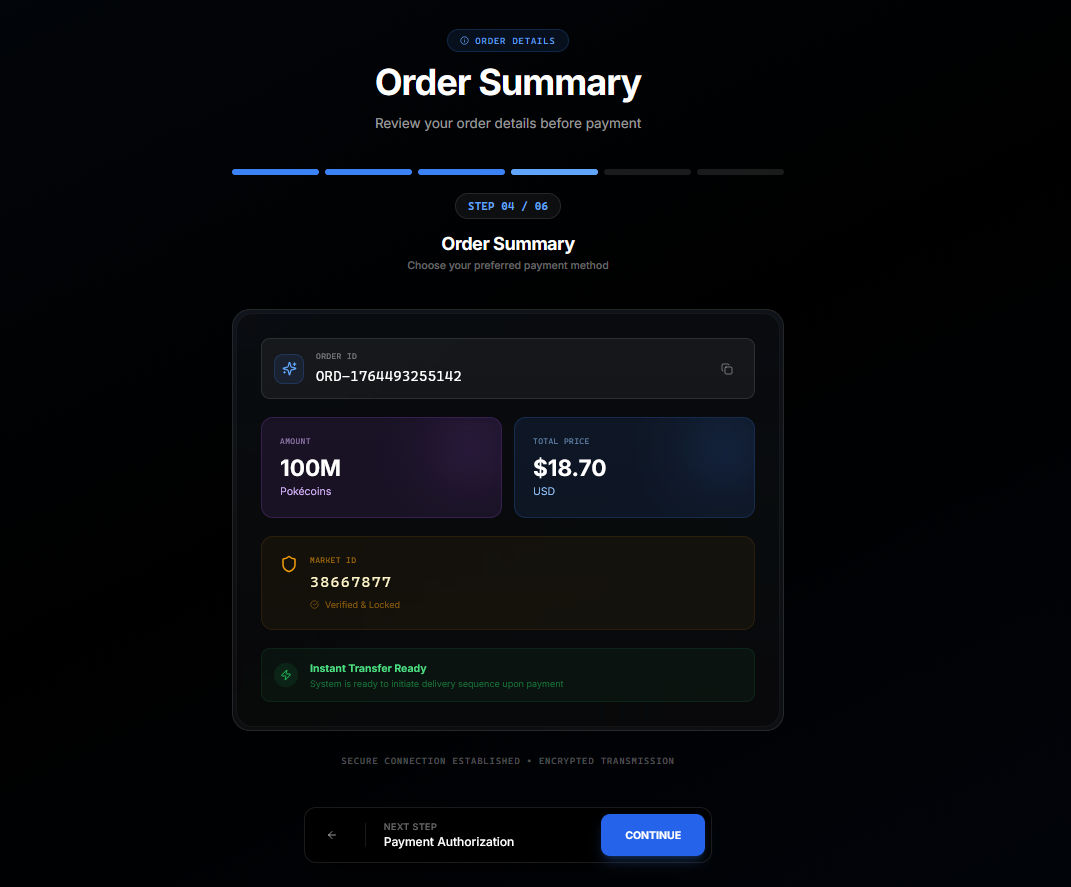
Order details section
This section shows:- Pokecoin amount you are purchasing
- Price per million Pokecoins
- Total cost for the order
- Any discounts that were applied
Delivery information section
This section confirms:- The market ID where your Pokecoins will be delivered
- Whether this is an instant order or a pre-order
- Expected delivery time
Step 4: Choose payment method
Select how you want to pay for your order.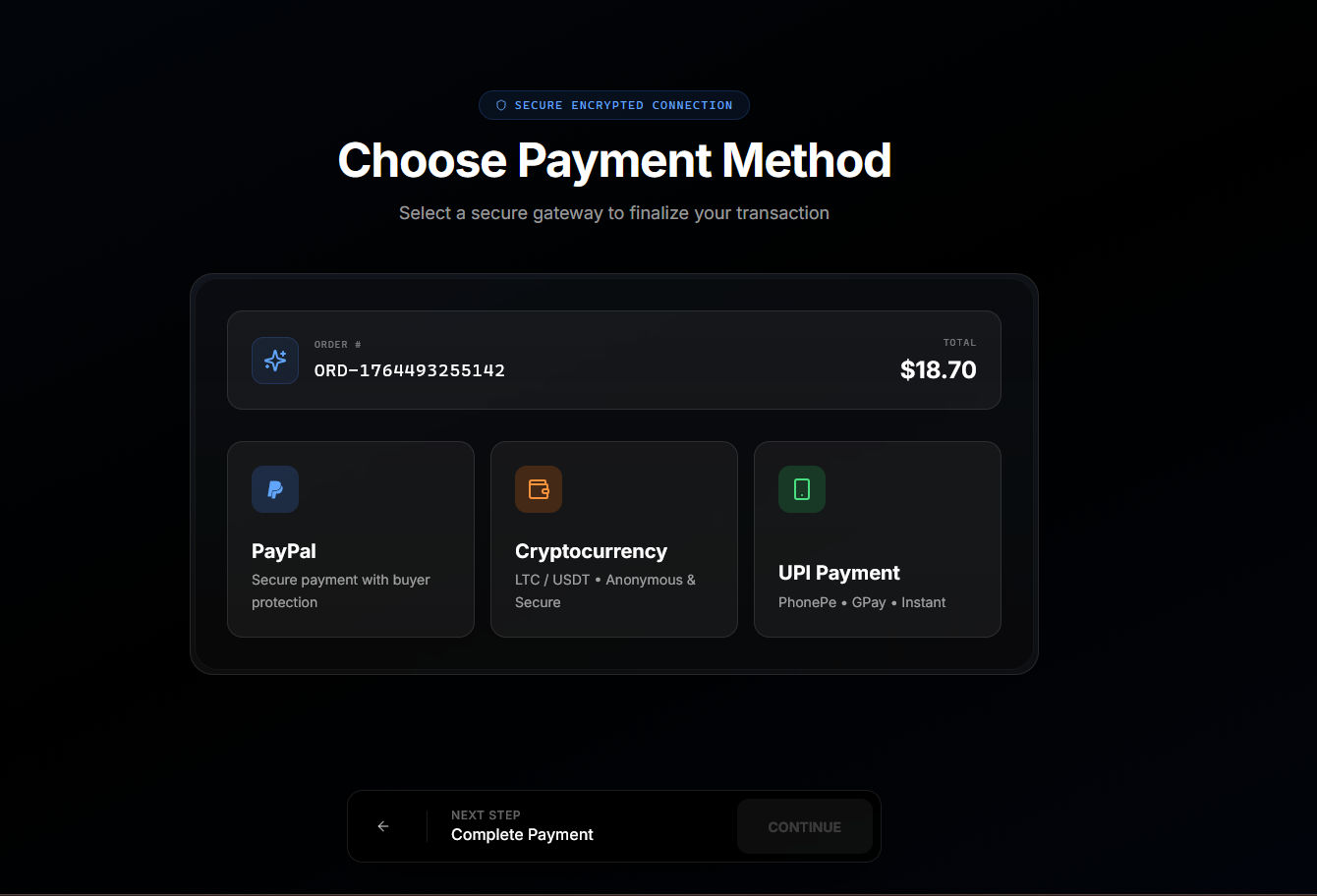
Available payment methods
PayPal: Pay using your PayPal balance, linked bank account, or credit/debit card through PayPal. Available worldwide where PayPal operates. UPI: Available for customers in India. Pay using any UPI-enabled app such as Google Pay, PhonePe, Paytm, or others. Cryptocurrency: Pay with Litecoin (LTC). Requires a cryptocurrency wallet. Select your preferred method and click Continue to proceed to the payment page.Step 5: Complete payment
The payment page displays instructions specific to your selected payment method.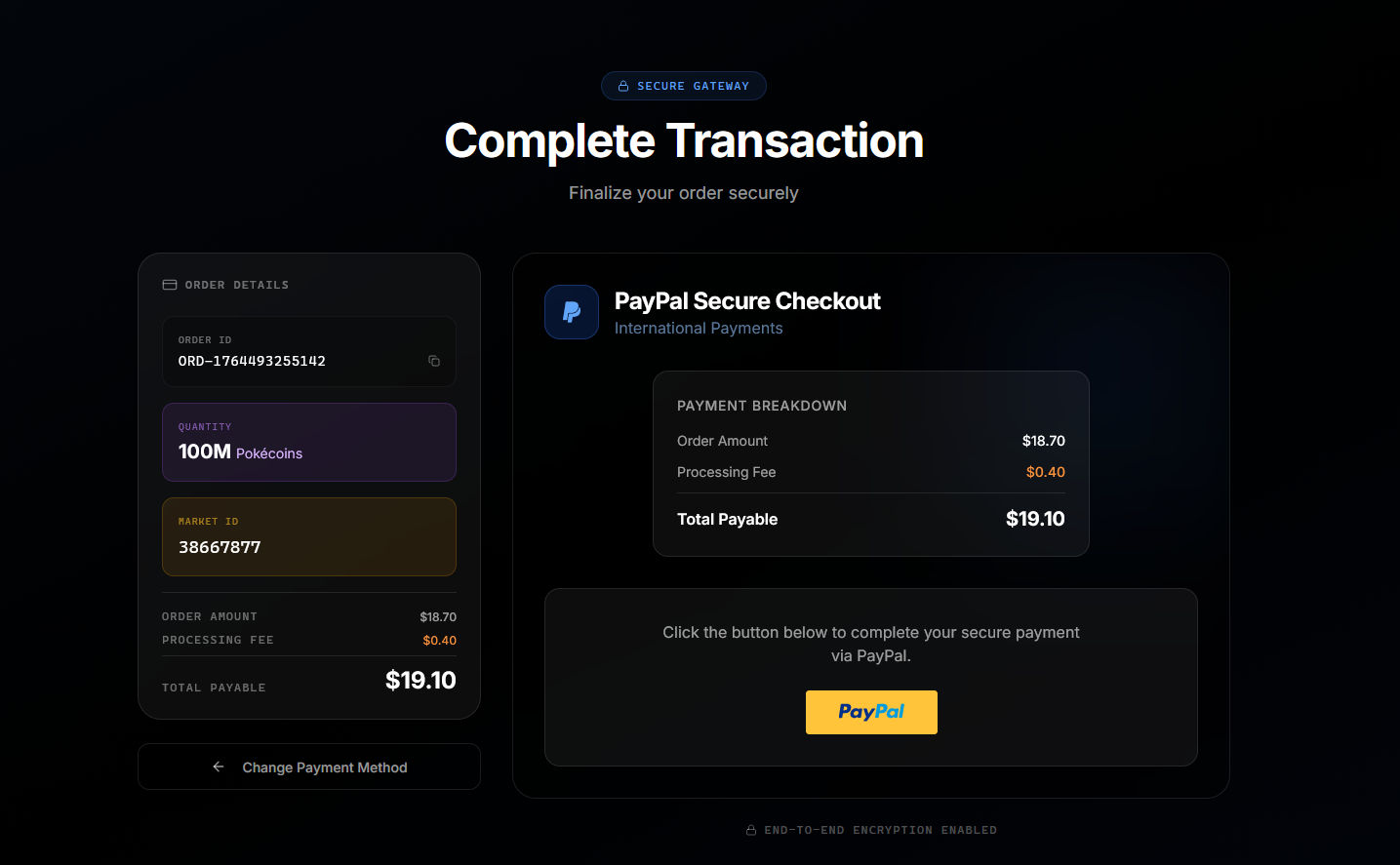
PayPal payments
You are redirected to PayPal’s website to authorize the payment. Log in to your PayPal account, review the payment details, and click Pay. After authorization, you are automatically returned to Right Spot. If you want to pay with a credit or debit card, you can do so through PayPal—select the card payment option on PayPal’s checkout page. In select regions, you can also pay without logging into PayPal by using its Pay with credit card/Debit card at the bottom of the login page.UPI payments
A QR code and UPI ID are displayed on the page. Open your UPI app, scan the QR code or enter the UPI ID, and authorize the payment. The page automatically detects when payment is received.Cryptocurrency payments
A wallet address and QR code are displayed. Send the exact Litecoin amount shown to the provided address. The page tracks your transaction and confirms when the required blockchain confirmations are received.Step 6: Receive confirmation
After successful payment, you are redirected to the confirmation page.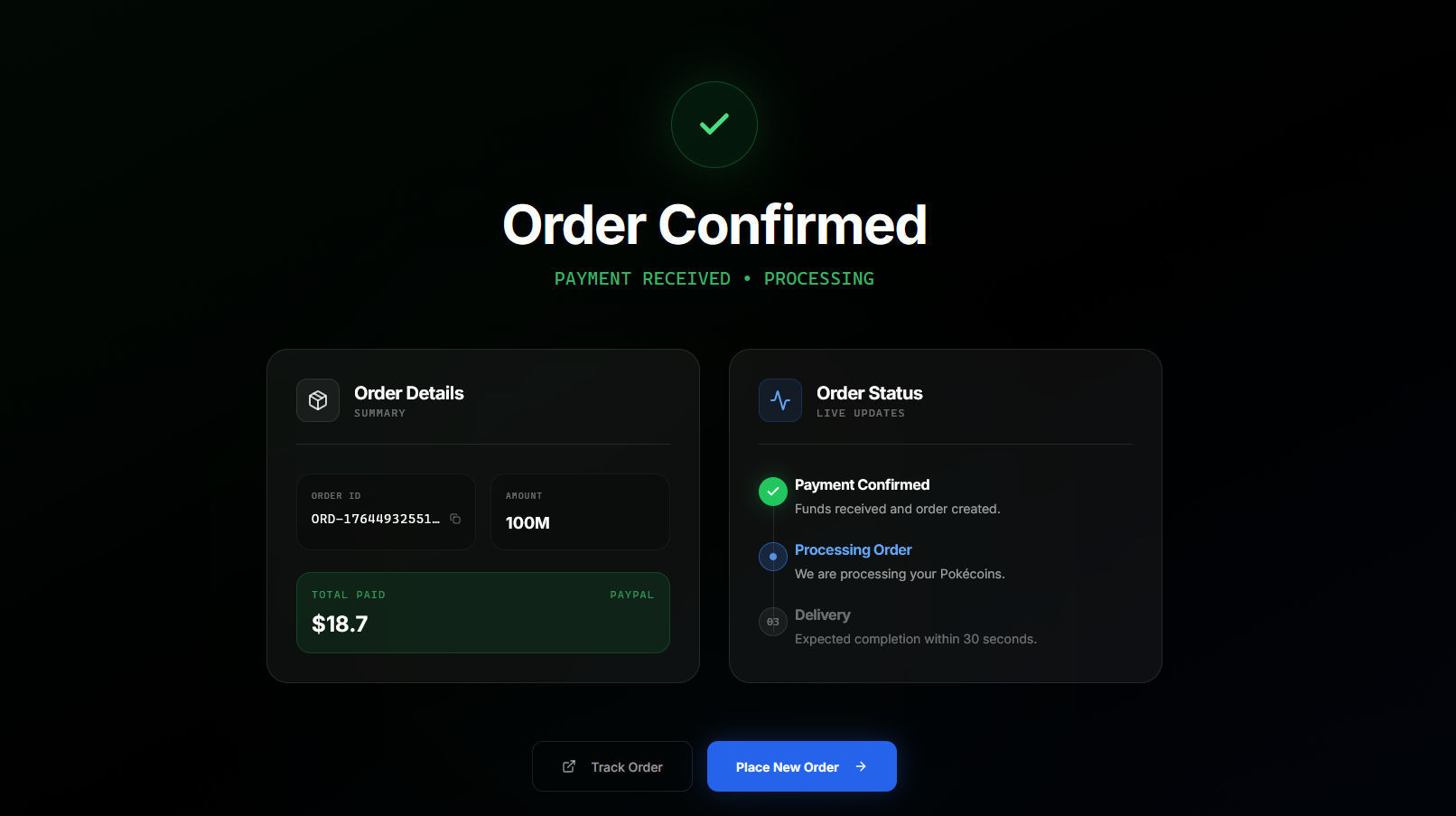
Confirmation details
The confirmation page displays:- Your order reference number
- Payment confirmation status
- Delivery status
- Timestamp of the order
What you receive
After a successful order, you receive:- An email confirmation with complete order details
- A notification in your dashboard
- The order appears in your Orders list for future reference
Your order is complete. Check your DMs from poketwo about a market purchase if its an instant order, or wait till the delivery date for pre orders.
After placing your order
Once your order is confirmed, you can:- Track delivery status in your dashboard
- View the order timeline for detailed event history
- Contact support if you experience any issues
Troubleshooting
Payment was completed but order shows pending
Payment was completed but order shows pending
Some payment methods have delayed confirmation. Wait a few minutes and refresh your dashboard. If the status does not update within 30 minutes, contact support with your order number and payment proof.
Order delivered but Pokecoins recieved.
Order delivered but Pokecoins recieved.
There might be a poketwo outage or some other technical issue if the orders shows delivered but you’ve not recieved it yet. Dont worry, your order and pokecoins are safe, contact support with the order number in such cases.
Payment page expired or closed accidentally
Payment page expired or closed accidentally
Return to your dashboard and find the order under pending orders, its at the bottom of the overview page (refresh the page if they don’t appear). You can resume payment from there. If the order does not appear, start a new order.
Learn how to track your order in View your order.