> ## Documentation Index
> Fetch the complete documentation index at: https://docs.rightspot.store/llms.txt
> Use this file to discover all available pages before exploring further.
# PayPal
> Pay for your Pokecoins using PayPal
PayPal is one of the most popular payment methods on Right Spot, offering a familiar checkout experience with built-in buyer protection.
## Requirements
To pay with PayPal, you need:
* A PayPal account (free to create)
* Sufficient balance or a linked payment method in PayPal
## How to pay with PayPal
When you reach the payment method selection step, choose **PayPal** from the available options.
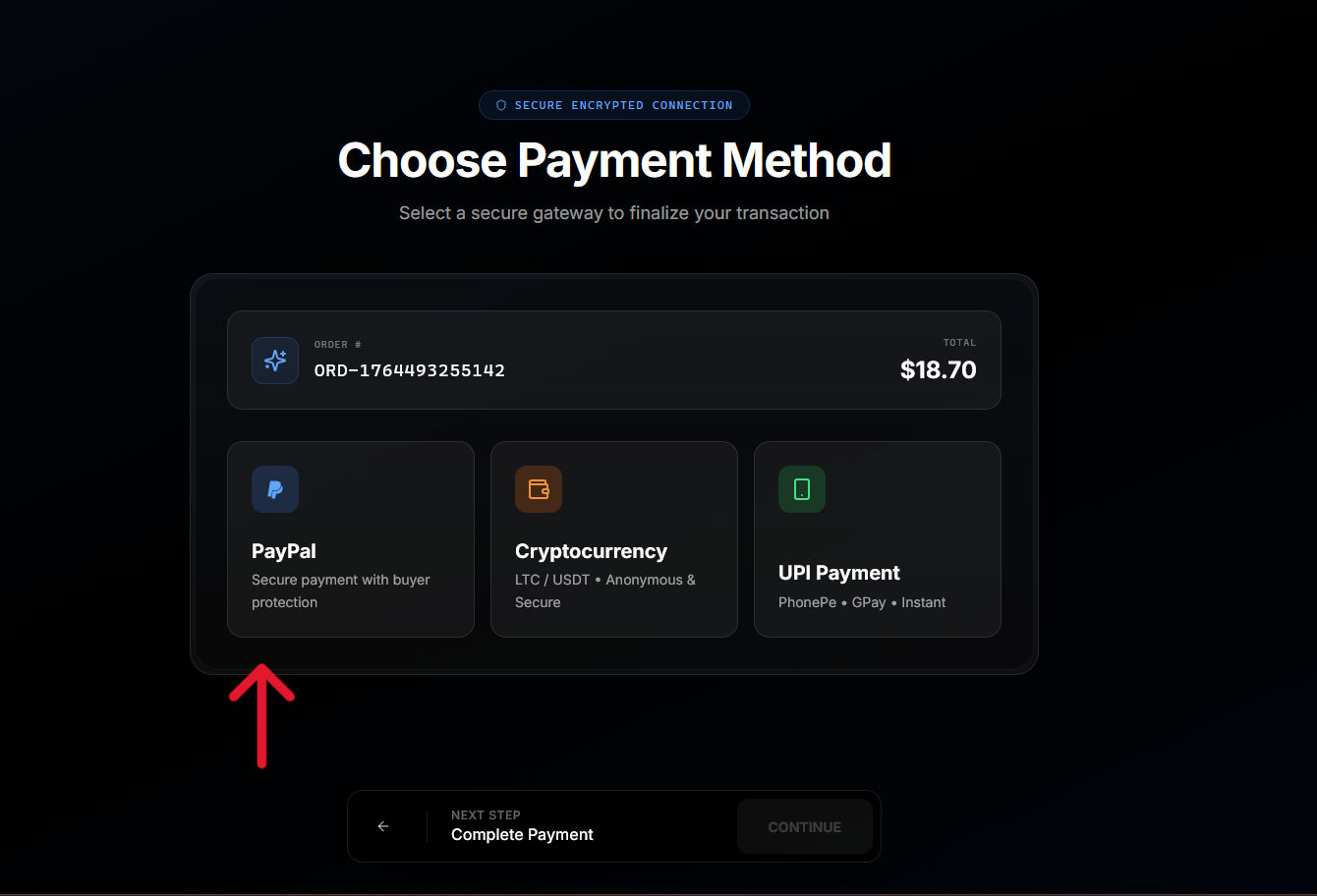
Click **Continue** to be redirected to the PayPal website. You will see the Right Spot order details and payment amount.
Enter your PayPal credentials to access your account. If you are already logged into PayPal in your browser, this step may be skipped. If you do not have a PayPal account and want to pay with card, refer to the [cards](/cards) section.
PayPal displays the payment details. Review the amount and select your funding source (PayPal balance, linked card, or bank account).
Click **Pay Now** to confirm the transaction.
After confirming payment, you are automatically redirected back to Right Spot. Your order confirmation page displays the payment status and delivery progress.
## Supported funding sources
Through PayPal, you can pay using:
* PayPal balance
* Linked debit cards
* Linked credit cards
* Linked bank accounts
PayPal handles the transaction with your selected funding source. Right Spot only receives confirmation that payment was successful. learn more about how your payment information like card info and other details are safe at the [payment security](/payment-security) section.
## Processing time
PayPal payments typically process instantly. Once you confirm payment in PayPal and return to Right Spot, your order immediately moves to processing and delivery.
## Currency handling
PayPal handles currency conversion if your PayPal account currency differs from the order currency. Conversion rates are determined by PayPal and displayed before you confirm payment.
## PayPal fees
PayPal may charge fees depending on your funding source and location. Any fees charged by PayPal are displayed in the PayPal interface before you confirm payment.
Right Spot adds a \$0.40 additional fees for PayPal transactions to prevent spam or abuse.
## Troubleshooting
If you completed payment but were not redirected, return to Right Spot manually and check your dashboard. The payment should appear within a few minutes. If it does not, contact support with your PayPal transaction ID.
There may be a brief delay in payment notification. Wait 5-10 minutes and refresh your dashboard. If the order remains pending, contact support with your PayPal receipt.
PayPal may decline transactions for various reasons including suspected fraud, insufficient funds, or account limitations. Review your PayPal account status or try a different payment method. This is something from your side, and you would have to contact PayPal support or your card provider to resolve.
## Refunds
Refunds for PayPal payments are returned to your PayPal account. Processing time for refunds depends on PayPal but typically completes within 3-5 business days.
***
Learn about card payments in [Cards](/cards).